 LingoBlend
Flashcards for XTEINK
A few words a day, reviewed on your e-reader. A free flashcard app for the XTEINK X4 Pro, in XTEINK's app store.
Free, no ads, no sign-up. Powered by LingoBlend. For XTEINK's own software. Looking for blended books? See LingoBlend for XTEINK.
A flashcard app made for e-ink
Flashcards shows one word at a time on a card. You flip the card, then answer Again if you forgot the word or Good if you knew it. The flip is instant. Home shows how many cards are ready now, how many are due tomorrow and your day streak.
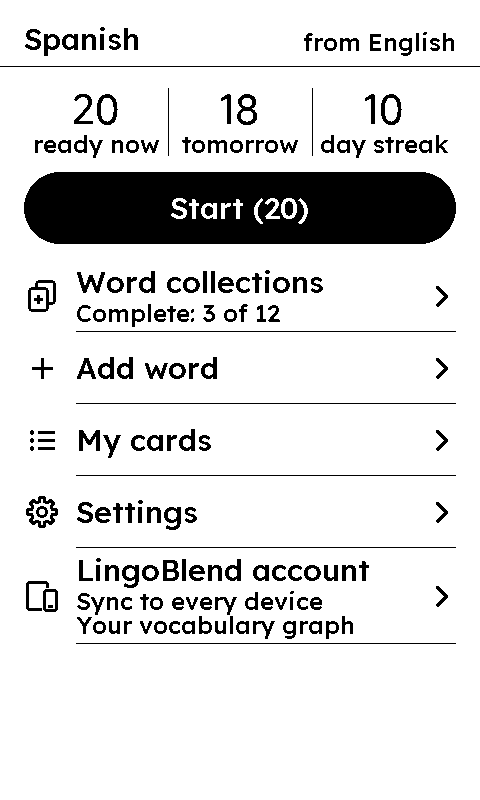
Home: what is ready today 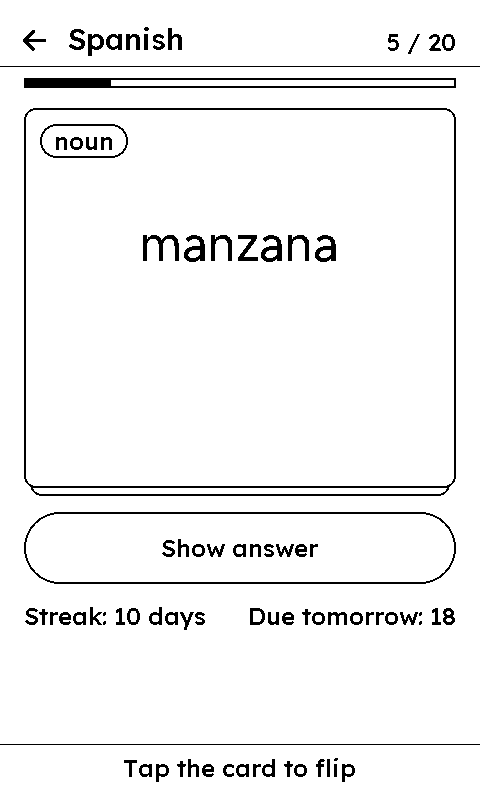
The front: the word 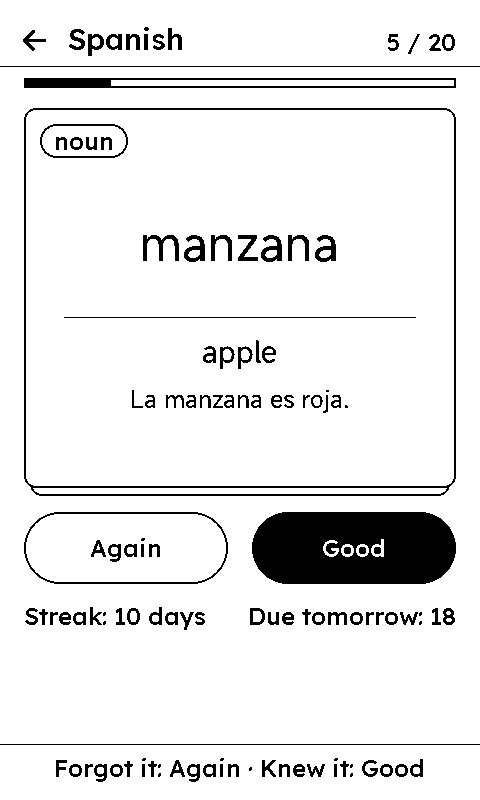
The back: its meaning 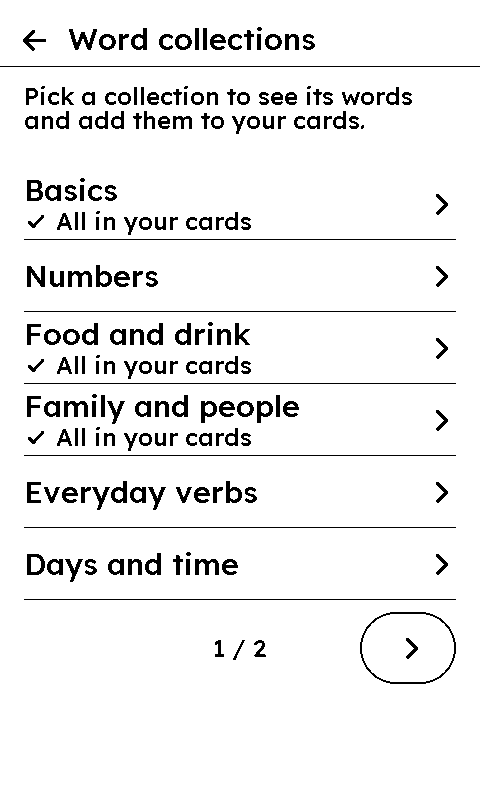
Collections to start from
How a review works
- The front of a card shows the word, and the back shows its meaning. A word from the collections also shows its part of speech on the front, and an example sentence in the language you are learning on the back.
- On the X4 Pro, tap the card to flip it, then tap Again or Good. The keys work too. Your streak and the number of reviews due tomorrow show under the card.
- A session holds up to 20 cards. LingoBlend's server schedules every review with SM-2, the same scheduling the LingoBlend phone app uses for its practice games. A word you know comes back after longer and longer breaks. A word you miss comes back soon.
- Nothing due? Review anyway studies words that are not due yet.
Word collections
- Twelve collections of ten everyday A1 words each: Basics, Numbers, Food and drink, Family and people, Everyday verbs, Days and time, At home, Colors, Describing words, In town, The body and Animals. The same collections exist in every language.
- Open a collection to see its ten words, with a check on the ones already in your cards. Add the rest at once with Add words.
- Chinese words show their pinyin, and Japanese words their reading, under words written with Chinese characters or kanji.
- The meaning on the back is the same word taken from your own language's word list. It is not a machine translation.
Your own words
- Add word works like a paper card: you type the word and its meaning. Nothing is translated, and the card shows what you wrote. Your own cards have no part of speech, example or reading.
- My cards lists your cards. You can change the meaning of a card you made in Flashcards, or delete it. The word itself cannot be changed.
- Save list to AppFiles writes your cards to a TSV file with three columns: word, meaning and next review. You can open it from a computer.
- On the X4 Pro you type on the page, with the keyboard under it. On the X4 Classic, which we have not yet tested on a reader, each field opens the reader's own keyboard, which types letters without accents. There, Add word is not offered when Russian, Chinese or Japanese is one of your two languages.
Languages
- Learn any of 16 languages: English, Spanish, French, German, Italian, Portuguese, Russian, Swedish, Chinese, Japanese, Hungarian, Finnish, Indonesian, Turkish, Serbian and Dutch. Meanings are shown in the language you speak, which can be any other of the same 16.
- The app's own screens follow your reader's language in 15 languages. Finnish and Serbian readers see English screens.
- Hindi is not offered, to learn or as the language you speak, because the reader can't show Hindi correctly yet.
Without Wi-Fi
The session already on the reader, up to 20 cards, works without Wi-Fi. Your answers are saved on the reader and sent the next time it connects. Everything else needs Wi-Fi: setting up, a new session, adding words, the collections, My cards and linking.
Link a LingoBlend account (optional)
- Flashcards works on its own. If you like, link the reader to a free LingoBlend account: in the app's settings, choose Link to LingoBlend, then Link my account. Scan the code with your phone, or open lingoblend.app/link and enter the code. Sign in and approve, then choose the matching number on the reader.
- Your cards and their schedules move into the account. From then on there is one schedule: a review on the reader and one in the practice games of the LingoBlend phone app update the same cards.
- Words you save in the LingoBlend phone app or the browser extension, for the same two languages, show up on the reader.
- The streak you built on the reader does not move to the account. A link lasts 12 months, then you link the reader again. A linked reader never sees your books, blends or subscription.
- No LingoBlend account yet? Get the LingoBlend phone app and create one with the same two languages.
What it stores
Get started makes an account for this reader, with no name, email or password. LingoBlend's server keeps your cards, their schedules, your answers and your streak. The app connects only to www.lingoblend.app, it has no analytics or ads, and your words never go into the server logs.
On a reader that is not linked to a LingoBlend account, Delete my data, in the app's settings, deletes it all at once. An account that has not connected for 12 months is deleted on its own. The details are in the privacy policy and on the page Delete your data.
Install it
You need an XTEINK X4 Pro with XTEINK's own software, updated to the latest version, and Wi-Fi. The reader must be linked to an XTEINK account: step 1 of the LingoBlend for XTEINK guide shows how. Menu names are as an English-language reader shows them.
Install it from the store
On your phone or computer, open XTEINK's app store and sign in with your XTEINK account. Find Flashcards, choose Install, pick your reader and choose Push.
Open it on the reader
On the reader, open ≡ → Cloud, choose the Flashcards package and confirm Install this package?.
Then open ≡ → Ink App → Flashcards.
Pick your languages
With Wi-Fi on, choose Get started. Pick the language you are learning, then the one you speak: meanings are shown in it.
Then choose your first words from a collection, or Skip for now.
Questions
- Is it free?
- Yes. Flashcards has no ads, no purchases inside the app and no Pro tier. Linking it to a LingoBlend account is free too.
- Does it work offline?
- Partly. The session already on the reader, up to 20 cards, works without Wi-Fi, and your answers are sent the next time it connects. A new session, adding words and the collections need Wi-Fi.
- Which readers does it work on?
- It is made for the XTEINK X4 Pro with XTEINK's own software, and works by touch and with the keys. We tested it on an X4 Pro, and XTEINK's app store lists it for the X4 Pro. The X4 Classic is supported in the app but not yet tested on a reader. Flashcards does not run on CrossPoint.
- Why is there no Hindi?
- The reader can't show Hindi correctly yet, so Flashcards does not offer it, to learn or as the language you speak.
- Is this the same as the Flashcards game in the LingoBlend app?
- No. The Flashcards game is one of the practice games in the LingoBlend phone app. Flashcards for XTEINK is a separate app for your e-reader. Both use the same SM-2 scheduling, and once you link the reader to a LingoBlend account, both review the same cards.
Review a few words a day on your XTEINK
Free, with no ads and no sign-up. Install Flashcards from XTEINK's app store, pick your two languages and start with a collection.
Get it in XTEINK's app store(opens in a new tab)